Here is the wireframe for my companion app, I wanted to make a simple lay out with clear buttons so users will have a better understanding of the way my app works and avoids confusion. The majority of my wireframe is creating buttons that take the user to the selected page.
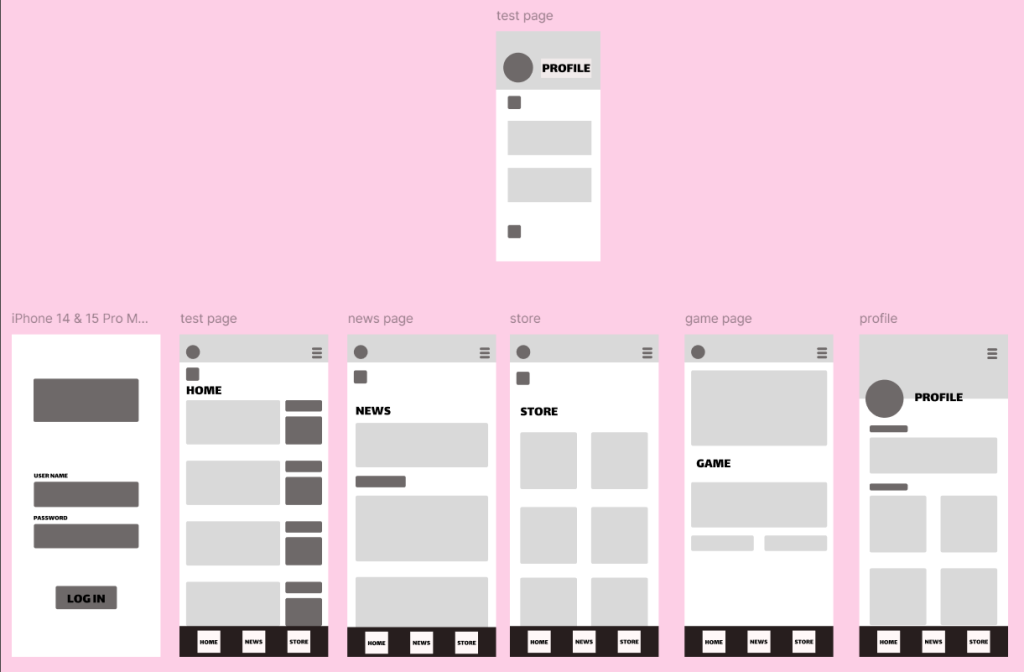
Here is what my app looks like in the low fidelity stage. Here I added buttons with the names on that will be icons in my high fidelity outcome.
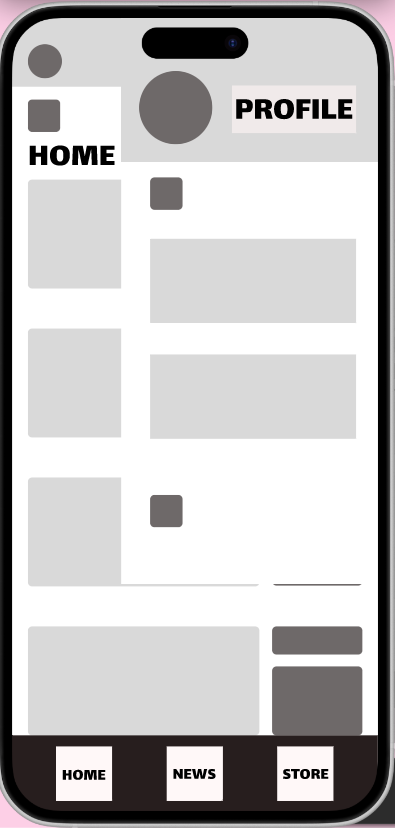
Another key part of my design is the pop out overlay. This gives users more options without making the home page too busy. This will pop out from the top right. The way to open the overlay is by a button in the top right corner. The overlay can be closed by clicking anywhere outside of it.
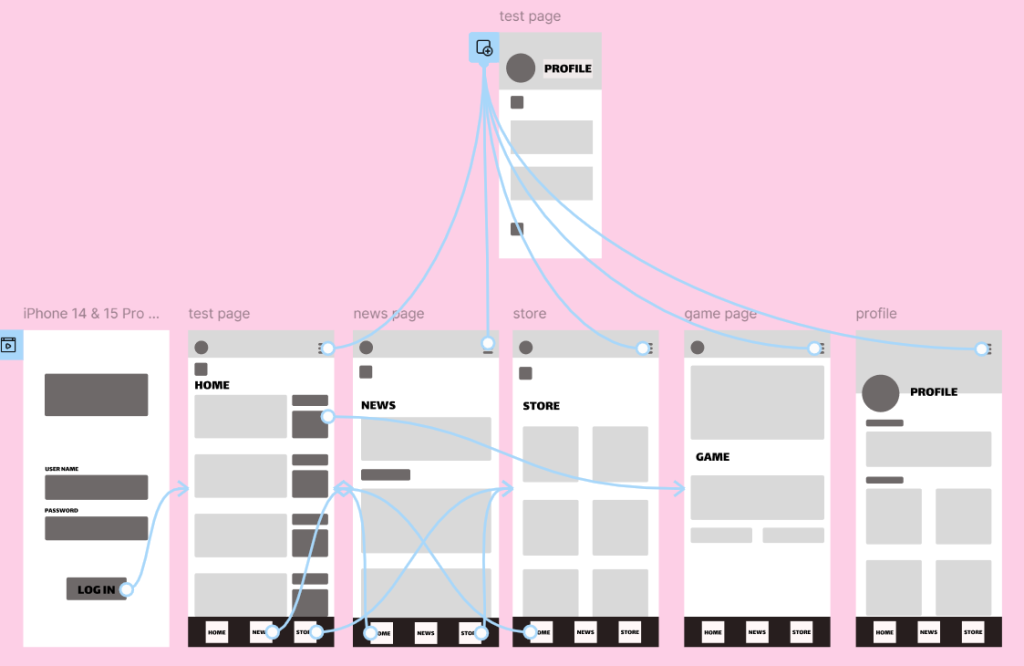
Here is what my app looks like with the wireframing, all the buttons at the bottom lead to their pages and stay in place when the user scrolls down and back up.
Figma Link